
Enterprise ERP • AI • Digital TransformationCoimbatore, Tamil Nadu, India · +91 6383872003 · info@tblze.com
Project & Site Control

TrailCore Construction ERP Software for Project & Site Management

TrailCore Construction ERP connects estimation, bills of quantities (BOQ), project planning, budgets, cost control, materials and site workflows. Manage subcontractor activities, daily progress reports and client measurements alongside project cash flow and profitability. Book a demo to discuss your construction workflows.
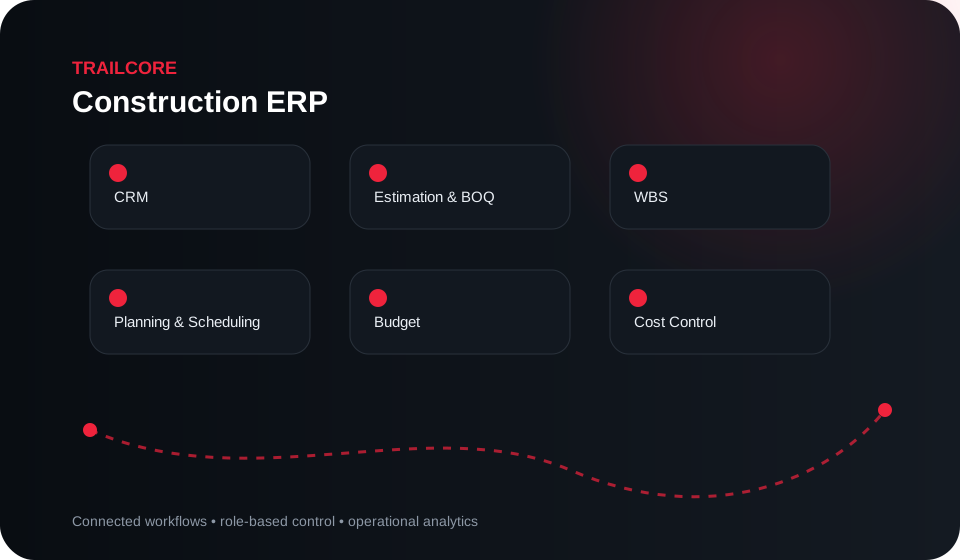
CRMEstimation & BOQWBSPlanning & SchedulingBudget
TrailCore Construction ERP modules and workflow
Core capabilities

Construction ERP Features for BOQ, Project Planning and Cost Control

Explore TrailCore Construction ERP modules for estimation and BOQ, work breakdown structures, planning, budgets, cost control, material planning and site stores. Connect daily progress reports, subcontractors, client measurements and variation orders with project reporting. Configuration depends on your construction processes and implementation requirements.

CRM
Estimation & BOQ
WBS
Planning & Scheduling
Budget
Cost Control
Material Planning
Site Store
DPR
Subcontractors
Client Measurement
Variation Orders
Quality
Safety
Snag List
Inspections
Drawings
RFIs
Documents
Cash Flow
Project P&L
Business value

Connect Construction Budgets, Site Operations and Project Profitability

Connect commercial and site execution
Track budget against committed and actual cost
Control materials and subcontractor workflows
See project cash flow and profitability earlier
Workflow view
Lead → Estimate → BOQ → Project → WBS → Budget → Material / Subcontract → DPR → Measurement → Billing → P&L

Workflow shown is representative. Configuration depends on the approved implementation scope.

Implementation

From process discovery to controlled rollout.

A strong enterprise implementation starts with workflows and data ownership before configuration and go-live.

01

Discover

Map current processes, roles, controls, pain points and data sources.

02

Configure

Configure modules, workflows, permissions, integrations and reports.

03

Validate

Run controlled UAT against realistic operational scenarios and exceptions.

04

Roll out

Train users, migrate approved data and transition with defined support.

Enterprise architecture

Designed for controlled adoption.

Deployment design is confirmed during discovery and depends on user roles, integrations, data ownership, security requirements and operating priorities.

Access & roles

Configure responsibilities and access around approved business roles and workflows.

Integration

Connect relevant systems and data sources through the appropriate approved integration method.

Auditability

Keep important operational actions and ownership visible within the configured business process.

FAQ

Common questions

Construction ERP connects estimates and bills of quantities with project planning, budgets and site execution. TrailCore Construction ERP includes Estimation & BOQ, WBS, Planning & Scheduling and Budget modules to help teams carry project information from the initial estimate into execution.
TrailCore Construction ERP includes Budget and Cost Control modules to help teams compare project budgets with committed and actual costs. This supports reviewing spending and identifying cost differences during project execution.
TrailCore Construction ERP includes Material Planning and Site Store modules to connect material requirements with site material workflows. The implementation scope determines the records, approvals and reports configured for each project.
A daily progress report, or DPR, records updates about work completed at a construction site. TrailCore Construction ERP includes a DPR module to help teams maintain site progress information alongside project planning and execution records.
TrailCore Construction ERP includes Subcontractors and Client Measurement modules. These support organizing subcontractor workflows and measurement records within the project process. Specific approvals and billing workflows are defined during implementation.
Variation orders document changes to the agreed project scope. TrailCore Construction ERP includes a Variation Orders module to help teams organize these changes alongside project records. Approval steps and links to measurement or billing depend on the configured workflow.
TrailCore Construction ERP includes Drawings, RFIs, Documents and Inspections modules, together with Quality, Safety and Snag List modules. These help teams organize project information and follow-up activities within the agreed implementation scope.
TrailCore Construction ERP includes Cash Flow and Project P&L modules to support reviewing project finances. Together with budget and cost information, these help teams assess cash requirements and project profitability using the records maintained in the system.
Project-centric ERP for estimation, BOQ, planning, budgets, cost control, materials, site operations, subcontractors, quality, safety and profitability.
Yes. The implementation can be structured in phases around the workflows, users, data readiness, integrations and controls that matter to the organization.
TrailCore is designed with integration in mind. The exact approach depends on the source system, available APIs, data ownership, security requirements and deployment architecture.
Yes. Trailblaze can run a product and workflow discussion focused on the relevant industry and operating process.
TrailCore Construction ERP

See how the workflow fits your operation.

Share your current process, user roles and priority challenges. We’ll focus the discussion on the relevant modules and implementation path.

Request demo →